Tap the spine. The note writes itself.
A follow-up visit on one screen: check-in, what you found, the segments you adjusted, the recheck and the plan. The note was written from those taps, not typed.
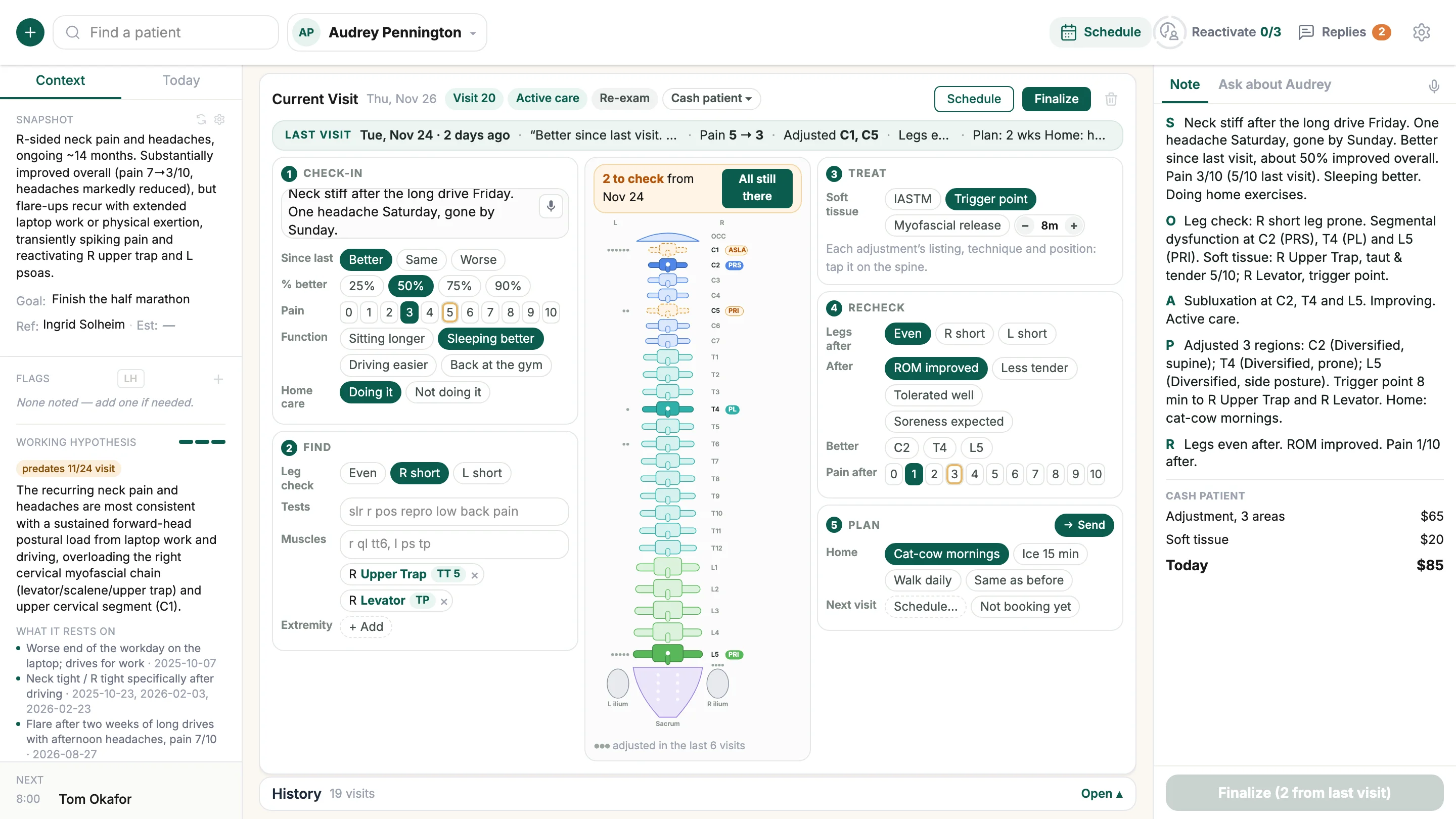
Tap the picture to skip ahead.
Six timesavers.
Real screens. Made-up patients.
No more charting after hours.
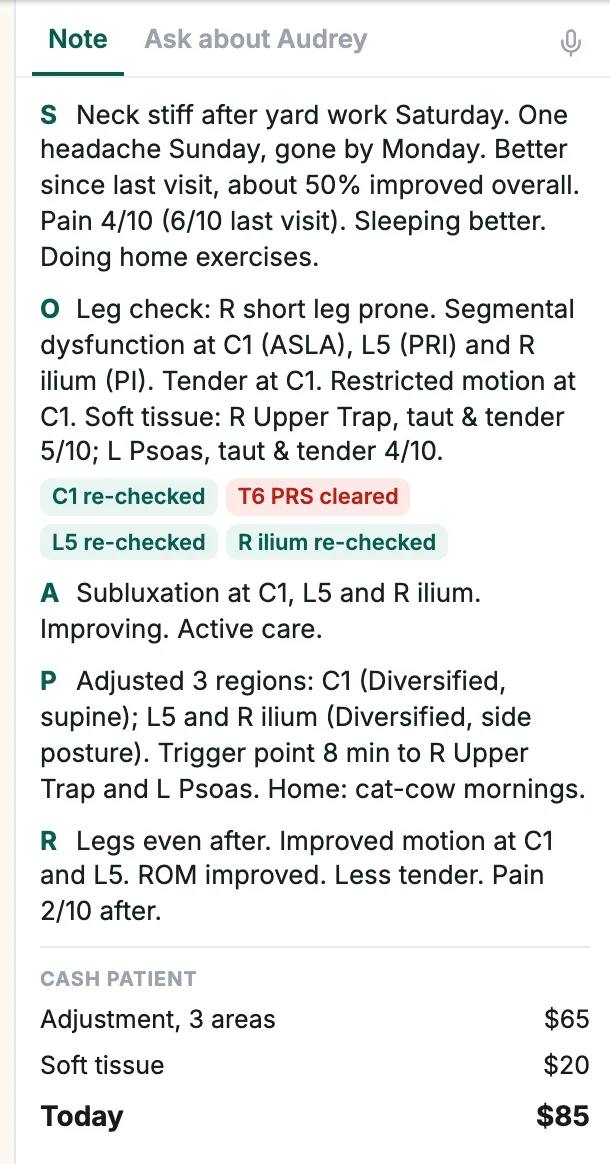
Tap the check-in, the spine and the recheck. The note is done when the visit is.
Nothing here was typed.
No more notes that all read the same.
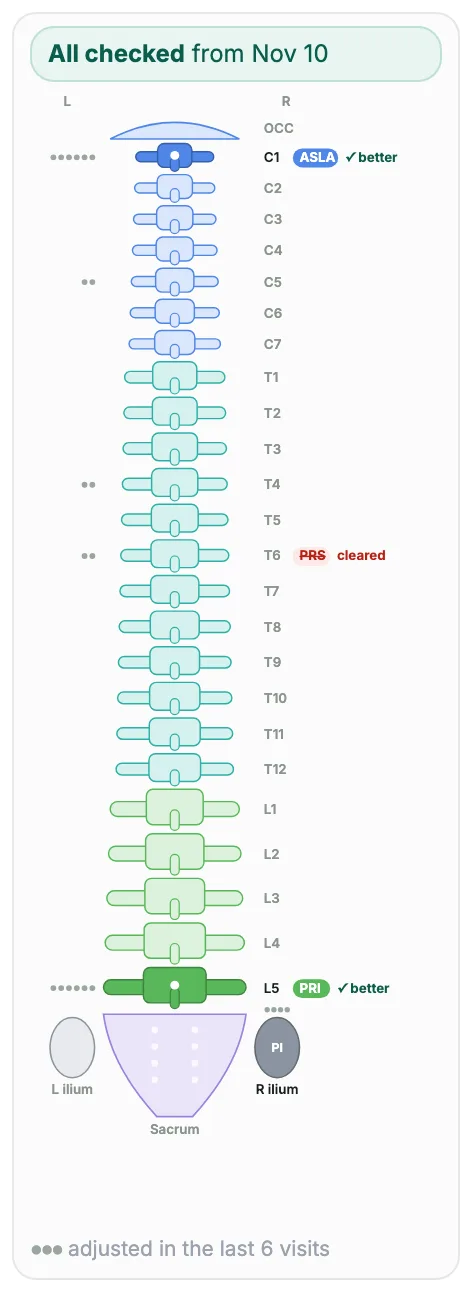
Last visit comes forward. Re-check or clear each segment, and the note says which.
No more digging through old notes.
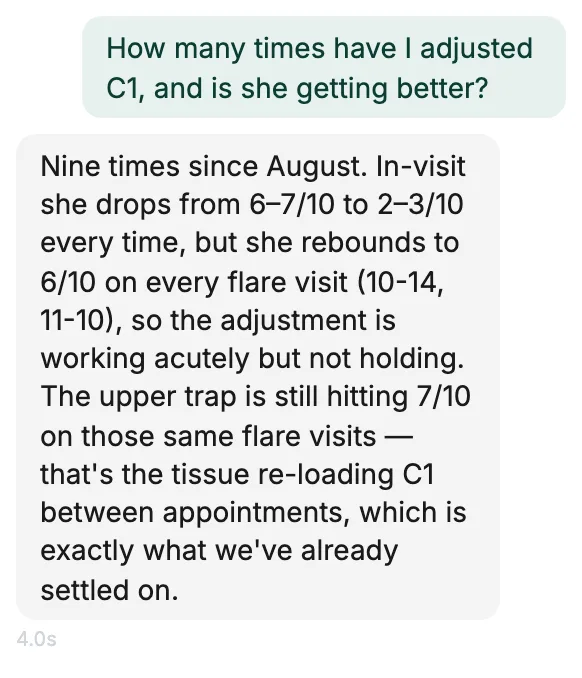
Ask if care is working. The answer names the visits and dates it used.
The flare dates match her chart.
No more reading intake in the room.
New patients fill it in on their phone. You get a summary and lines ready for the note.
It caught the red flag.
No more phone tag to book.
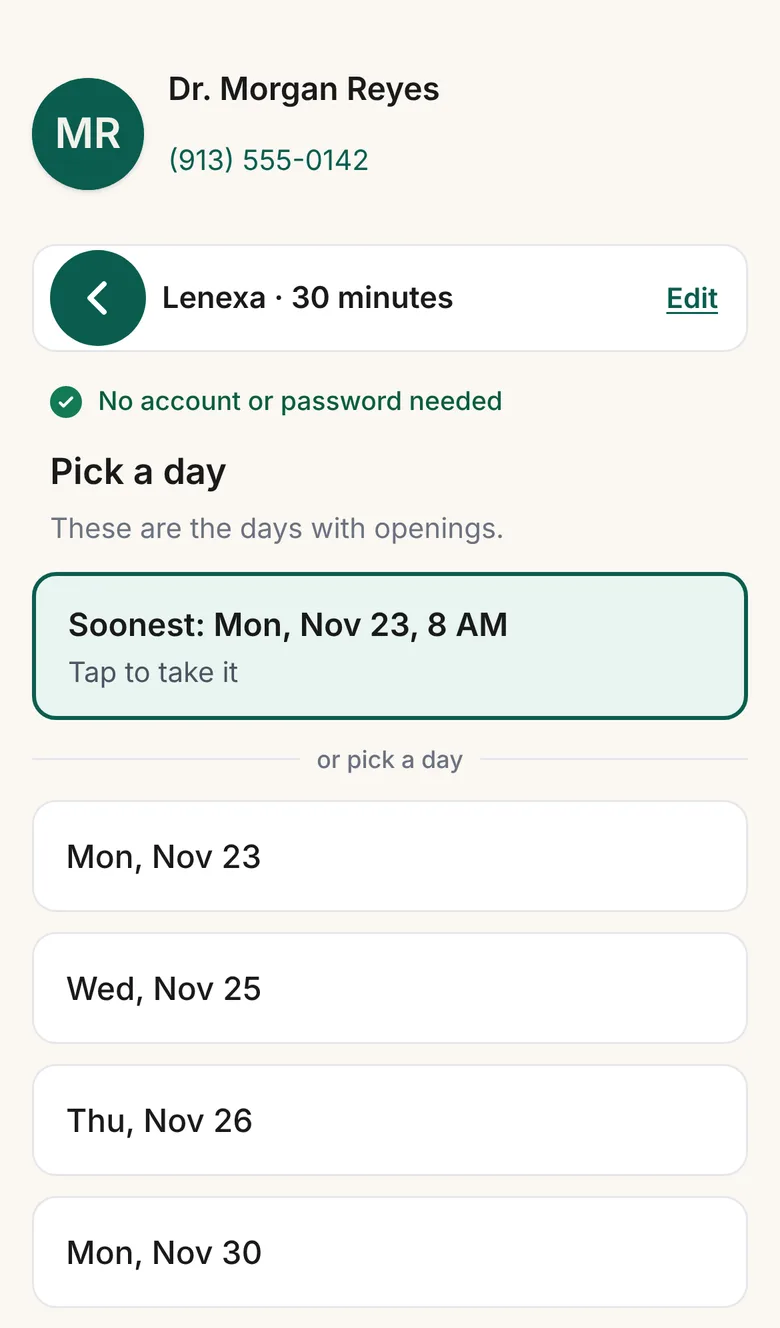
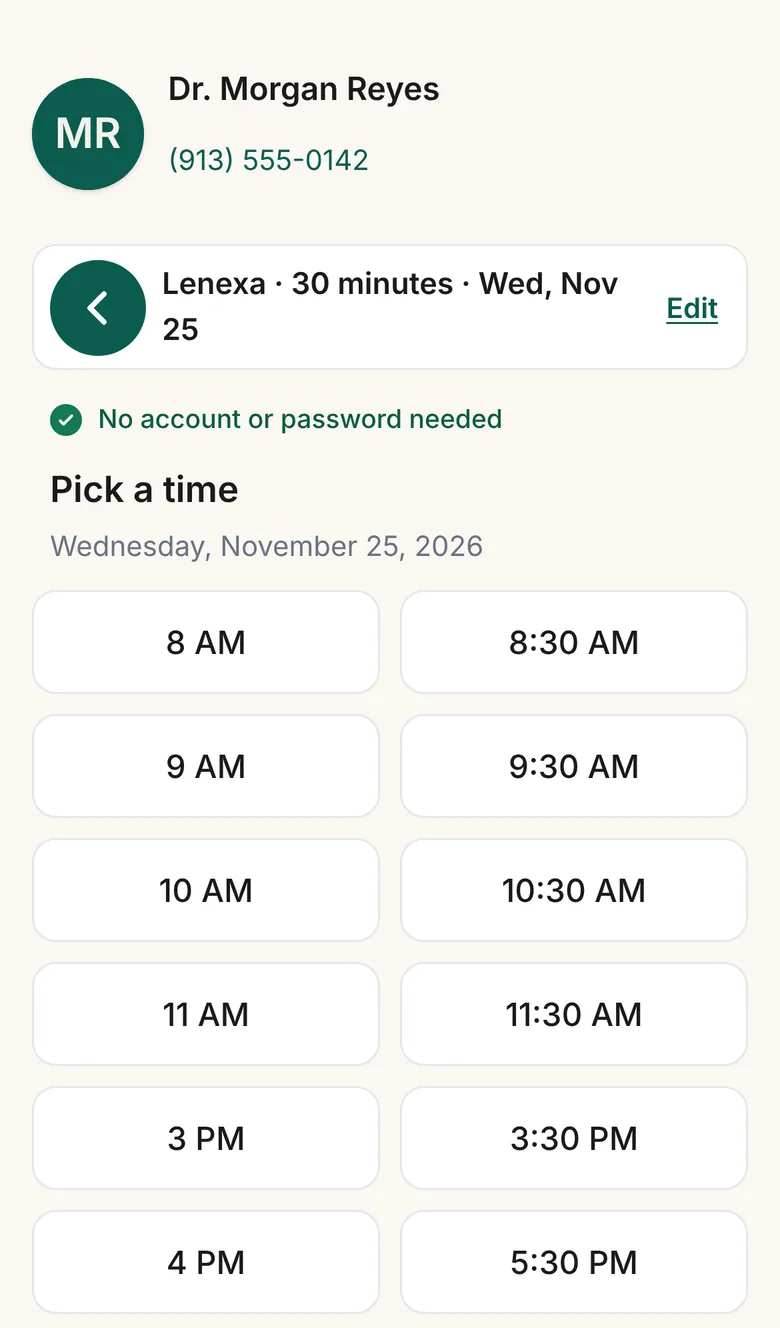
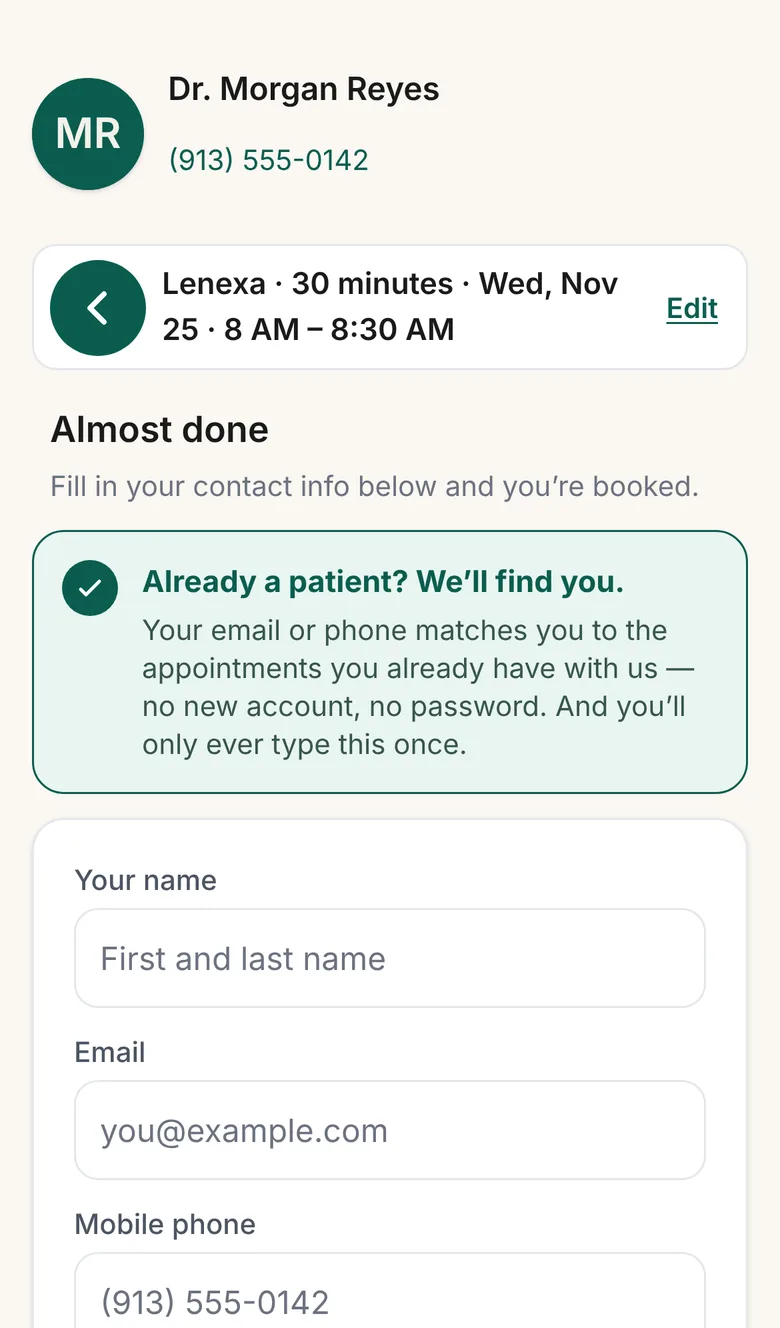
Patients book themselves, any hour. No account, no password.
Soonest opening, one tap.
No more regulars drifting off.
Each morning, who to check in on, with drafts from their chart. Nothing sends until you tap.
Each draft mentions his last visit.
Done charting before they're off the table.
Check-in, findings, adjustments, recheck and plan. One screen.
- Last visit comes forward. Still there? One tap.
- Tap a vertebra. Listing, technique and position in one menu.
- Type shorthand. r ql tt6 becomes R QL, taut and tender 6/10.
- The recheck writes the response.
Ask about the patient.
Ask in plain words. The answer comes from her own visits, with dates.
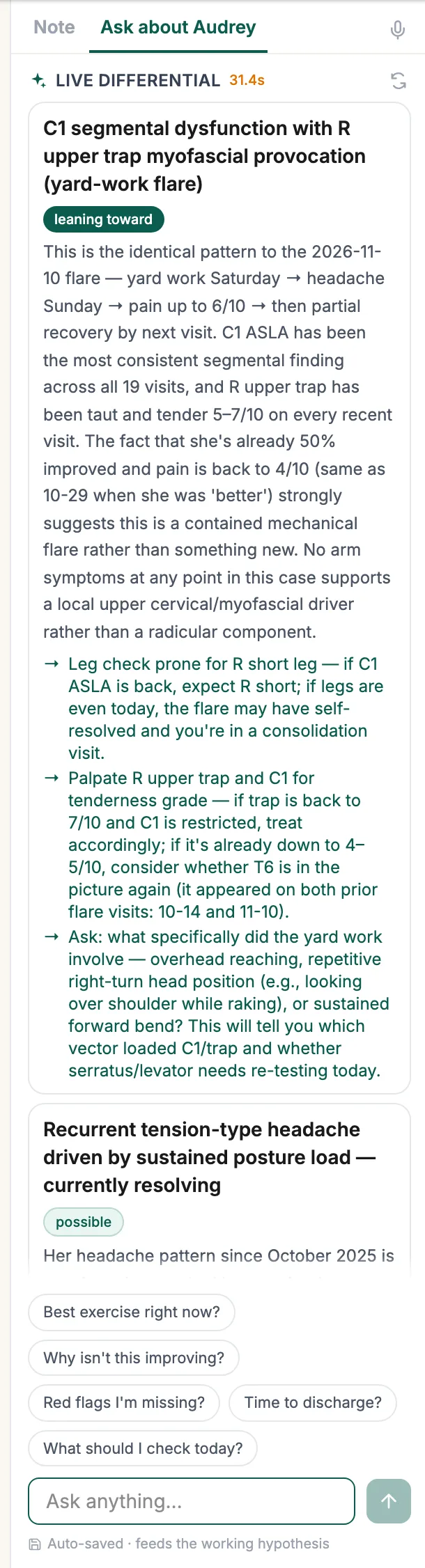
History, one tap away.
Every past visit, newest first.
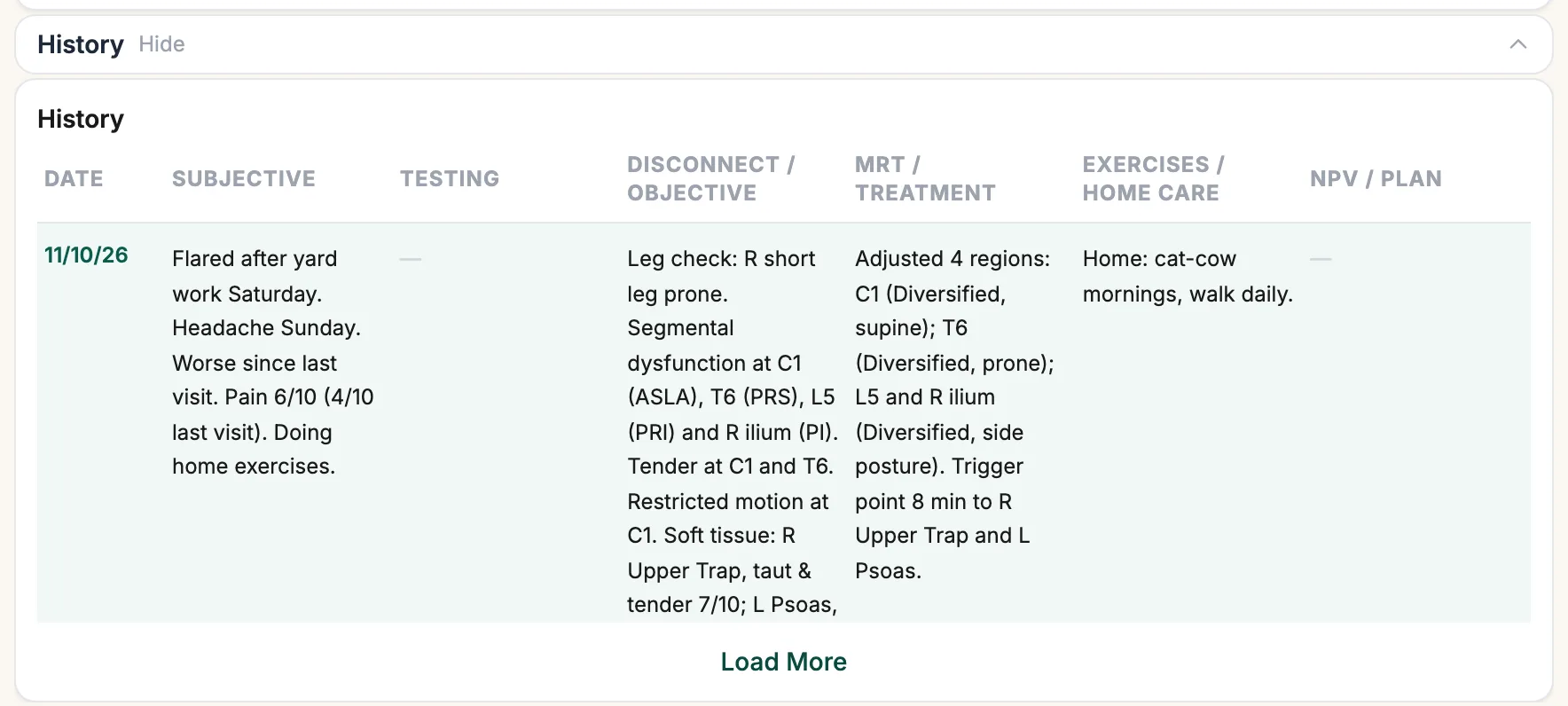
Cash or insurance. Same screen.
Cash patients see your prices. Insurance and Medicare get the codes, from the same taps.
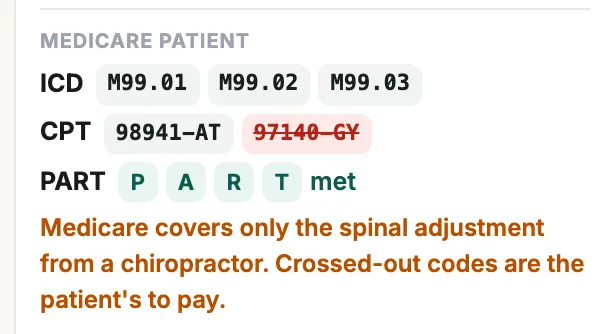
Bring back the patients who drifted off.
Each morning: who's been gone, what you treated last, and three texts written from their chart. Edit, tap send.
- Ranked by how regular they were and how long they've been gone.
- You decide who counts.
- Send from the office line or your phone.

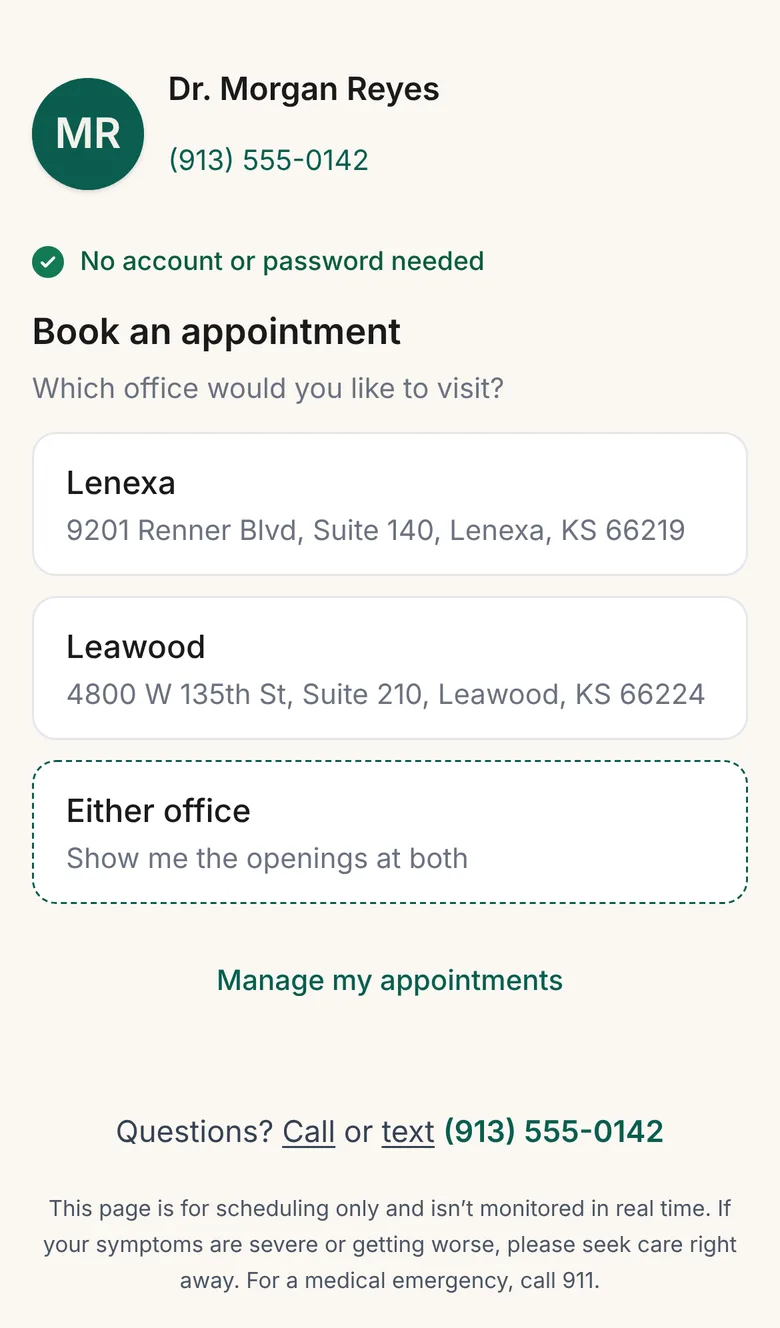
Patients book in four taps. No account, no password.
Soonest opening on top. Returning patients are matched, so no duplicate charts.
After they book.
- Right awayConfirmation email with a link to move or cancel.
- New patient?Intake link, English or Spanish.
- The day beforeReminder text, if they want one.
- Someone cancelsPatients waiting for sooner get a text. First tap wins.
- On your calendarOn your week view and Google calendar, right away.
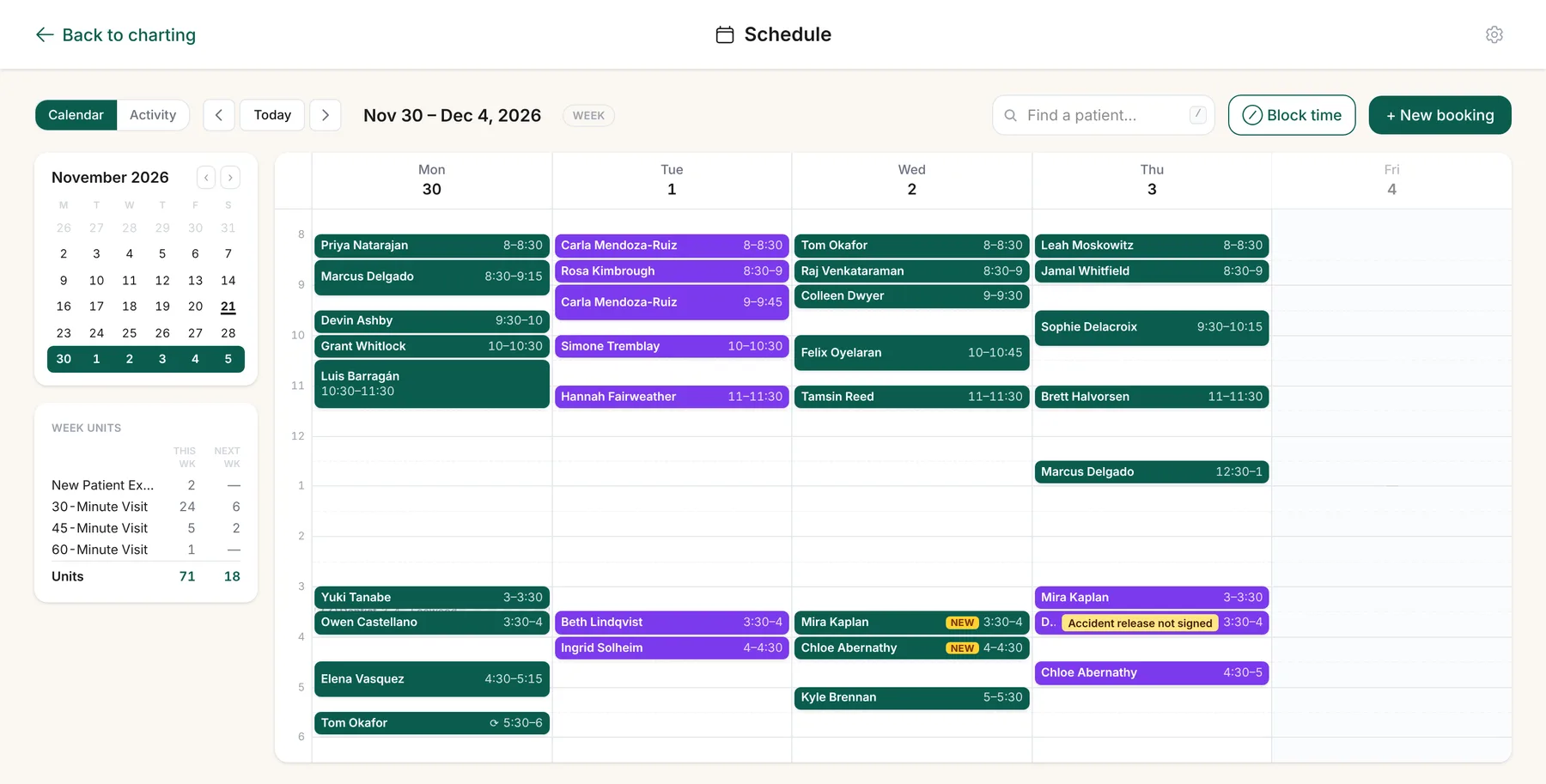
Your week, without a front desk.
Block time, move visits, book the next one from the chart.
- Two offices, one of you: a visit at one blocks the other.
- Book the next visit before they stand up.
- Google calendar suggests blocks, and asks first.
Only need the booking page? It's sold on its own as Kestrelbook, $29 a month.
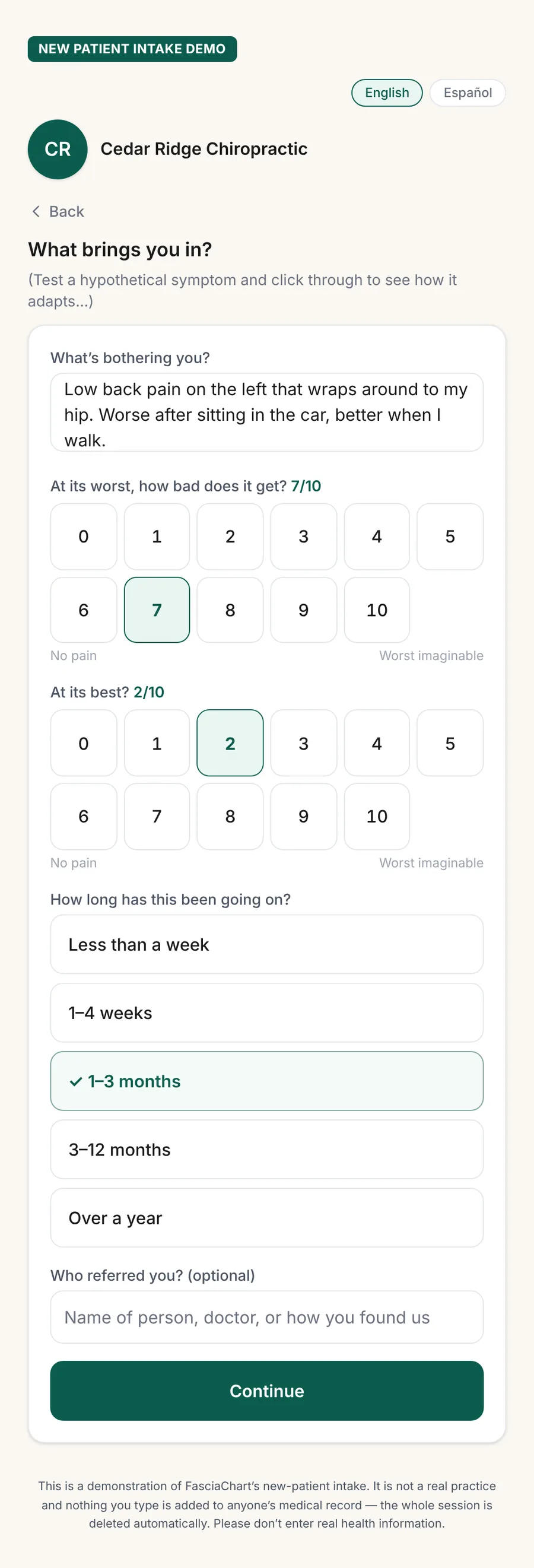
Intake that reads what the patient wrote.
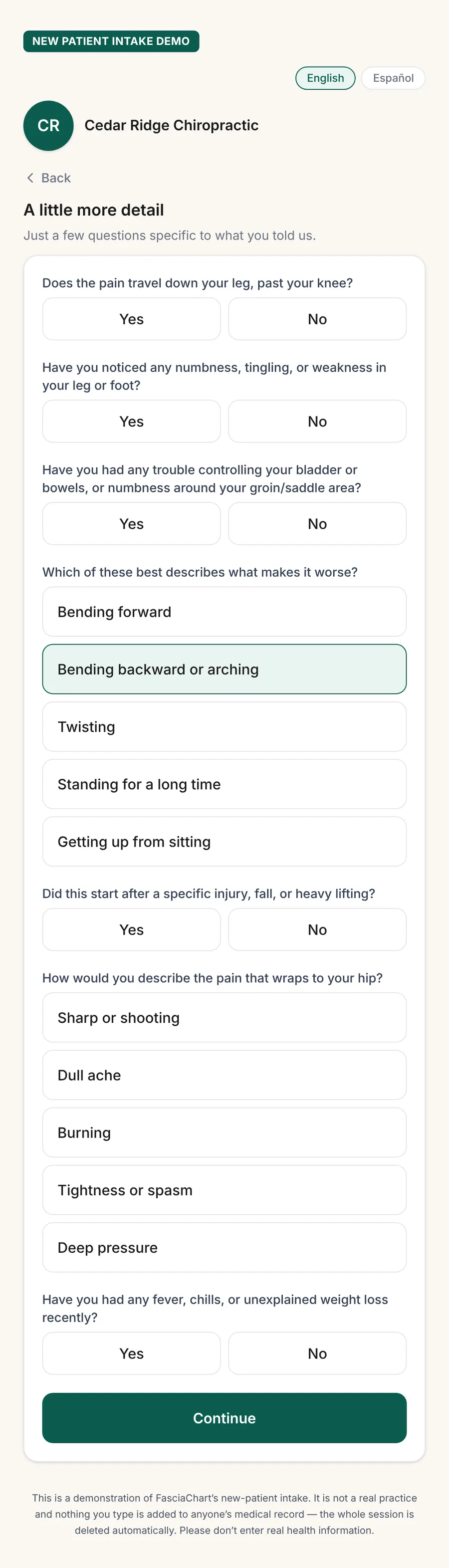
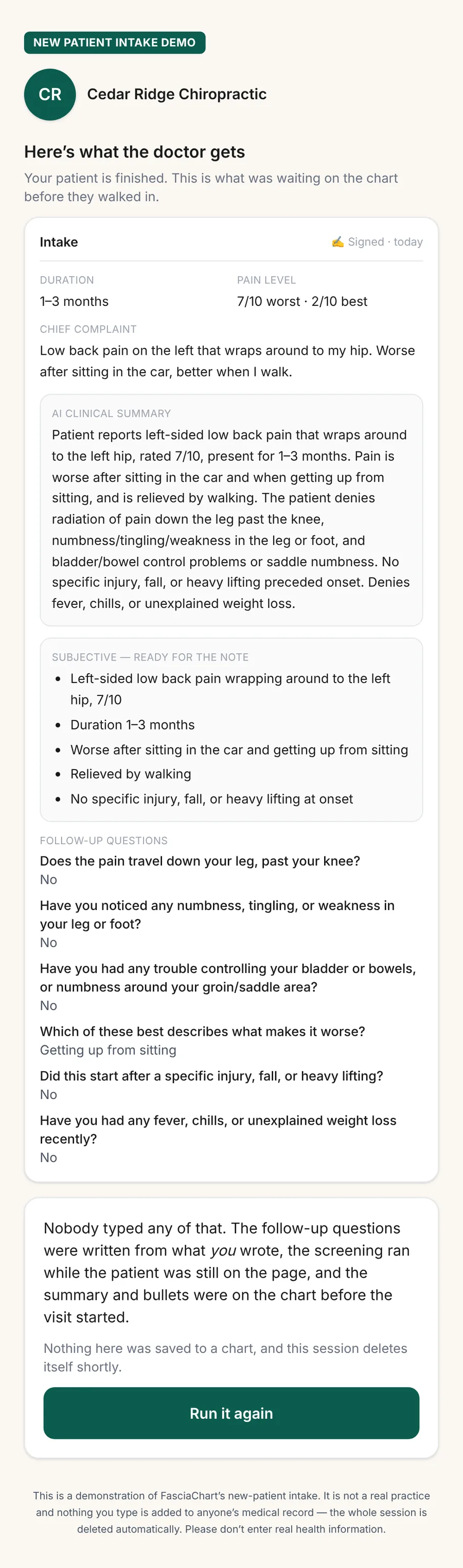
Patients describe it in their own words. The follow-up questions fit the complaint, red flags included. The chart has a summary before they walk in.
- Sent for you when a new patient books.
- Red flags asked on every back complaint, flagged on the chart.
- English or Spanish. Any phone, nothing to download.
- Consent and signature at the end.
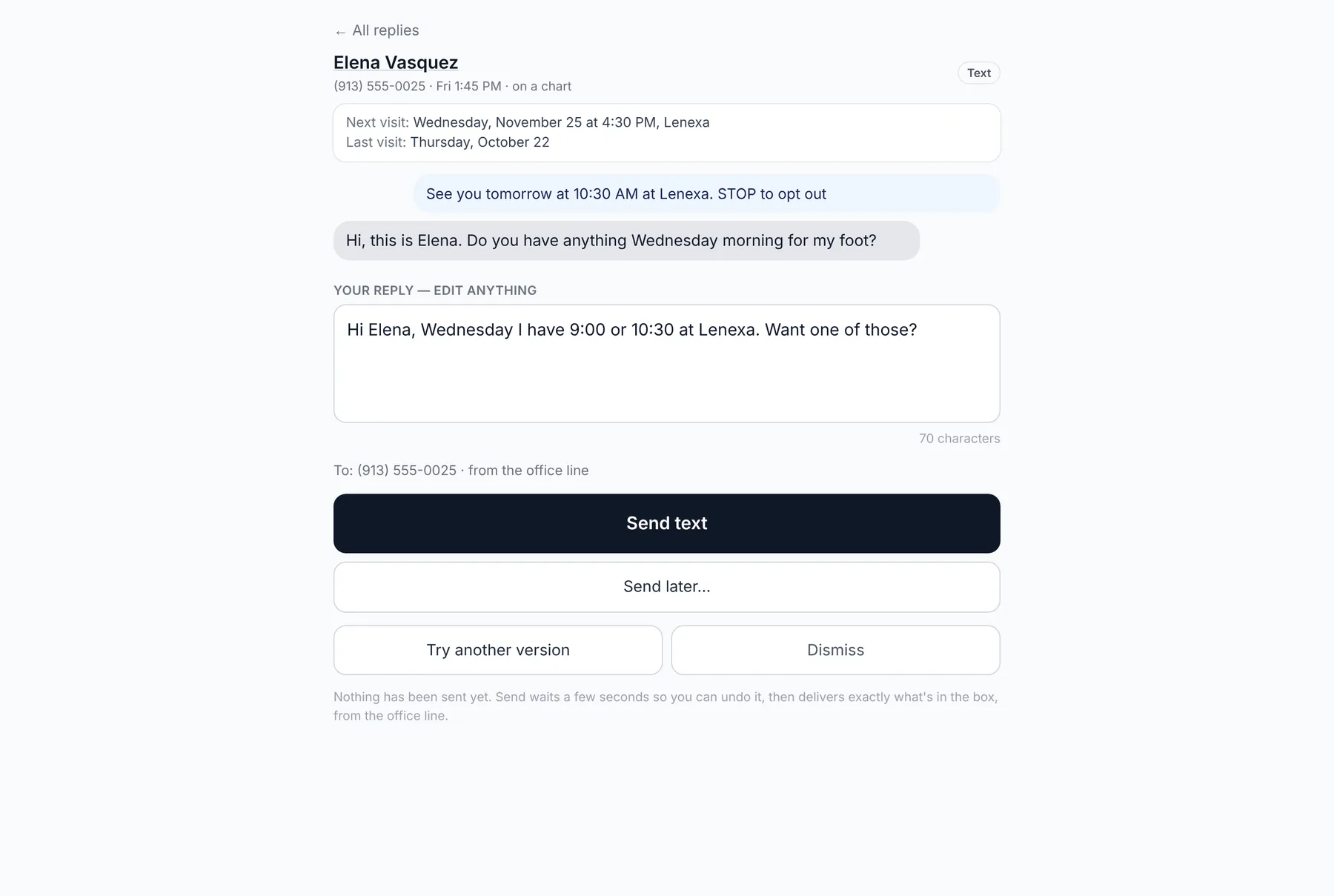
Every text and email, answered in your voice.
Each patient message comes with a drafted reply. Edit, send or schedule it. Nothing sends until you tap.
- Ten seconds to undo.
- Next and last visit above the thread.
- A draft can't invent a time.
Where the AI is, and where it isn't.
Exactly what it does.
It drafts. You send.
Only booking confirmations and reminders send themselves, and those aren't AI.
It reads the chart. It doesn't write the visit.
You chart the visit. The AI reads your notes back to you.
Facts are checked, not trusted.
Hours, prices and addresses are checked against your settings.
It's included.
No per-note fees.

“I got tired of software designed by people who've never adjusted a patient.”
Dr. Ladd Carlston · Chiropractor, Kansas City
Every feature here was built for his own practice first, and used with real patients before anyone else saw it.
How it stacks up.
Read from each company's own website on November 21, 2026. Sources are under every answer.
| KestrelChart | ChiroTouch | Jane | |
|---|---|---|---|
| Price | $129 a month, on the website. AI included. | Not published. Three plans (Start, Grow, Scale), each with "Talk to an Expert".Source | Published: Balance $59, Practice $79, Thrive $99 a month.Source |
| How you get in | Try the intake now. Ask for a demo login and it comes by email. No sales call. | Book a demo. No free trial or self-serve signup shown.Source | Self-serve signup or a demo. "We do not have a free trial."Source |
| AI in the notes | Included. No ambient scribe: you chart in shorthand, and the AI reads the chart back to you. | Rheo AI. "AI Scribe" is listed for Grow and Scale; Start has "Basic AI charting".Source | AI Scribe: 5 free notes a month, then $15 a month per practitioner for unlimited.Source |
| Patients book online | Included. Four taps, no account. | Scheduling is listed; patient self-booking not stated on the pages read. Not confirmed.Source | Yes, on every plan.Source |
| Online intake | Included. Follow-up questions written from what the patient typed. | Yes. Digital intake forms on every plan (CT InForms).Source | Yes, intake forms on every plan.Source |
| Two-way texting | Included. Every reply drafted in your voice; nothing sends until you tap. | Optional add-on (CT Engage), Grow and Scale only. Price not published.Source | SMS reminders and in-app secure messaging. Two-way SMS not stated. Not confirmed.Source |
| Built for | Hands-on, soft-tissue chiropractic. Built by a practicing DC. | Chiropractic: "All-in-one software built for chiropractors."Source | Many disciplines: physio, chiropractic, massage, mental health and more.Source |
Side by side: KestrelChart vs ChiroTouch · KestrelChart vs Jane
Two prices, both on the page.
KestrelChart
Founding-practice rate, kept for as long as you stay.
- Charting, booking, intake, front desk and reactivation.
- The AI included. No per-note fees.
- Export your patients and appointments to a spreadsheet any time.
- Cash and superbill practices first. Practices that bill insurance electronically join once every service that touches a chart has signed a business associate agreement.
Kestrelbook
Just the booking page: the same four-tap booking, with confirmation and reminder emails.
- Your own booking link, live in minutes.
- Free preview before you pay.
- No charts, so nothing to migrate.
Get a demo login, or a place on the list.
A made-up practice with a year of made-up patients. Nobody will call you.